
Is there voice chat in WheelMates?
No. Use Discord (https://discord.com/invite/wheelmates) or talk locally.

WheelMates co-op guide: pick Online or Split-screen, seat Friend's Pass partners, tune cameras, and use Discord with no built-in voice. Verified Sep 2026.
Online, split-screen, and communication.
~6 min read
This WheelMates co-op guide is the operating manual for a strict 2-player RC adventure: Online multiplayer, local Split-screen, camera feel, and communication when the game ships without built-in voice. By Firevolt, released September 1, 2026. Verified September 2, 2026 · Steam.
| Fact | Detail |
|---|---|
| Mode | Strict 2-player · Online + Split-screen · Friend's Pass |
| Solo | Not available |
| Voice | None in-game — Discord or local talk |
| Controllers | Partial controller support · Xbox / PlayStation pads OK |
| Steam Deck | Steam Deck supported |
| Story length | Story ~6h · full explore ~8h |
WheelMates supports Online co-op and Shared / Split-screen co-op. Both are real first-class paths. Choose based on distance and screens—not based on which trailer looked cooler.
| Choose | When | Tradeoff |
|---|---|---|
| Online | Players on separate PCs / remote friend | Needs stable net + external voice |
| Split-screen | Same couch, one display | Shared FOV; easiest callouts |
| Online + Friend's Pass | One owner, remote unpaid guest | Invite UI must succeed first |
If your partner is in another city, Split-screen on your PC does not help them. Seat them Online (Friend's Pass or second copy), then treat latency as part of puzzle timing.
Two Steam decks on one Wi-Fi sometimes prefer Online for full-screen cameras. That is valid—just open Discord or sit close enough to hear each other.
Mode locked, seating is the next gate—especially when only one of you paid.
Friend's Pass lets one owner invite a second player for free. Exact Steam button labels vary; confirm the live invite UI. Two owned copies skip the free-seat path and use a normal Online invite.
Local Split-screen needs a second input on the host machine. Confirm pads or keybinds before a long puzzle climb so P2 does not discover they are unbound mid-air.
Steam lists partial controller support. Test both pads in a safe Kitchen corner. Remap once, then leave the scheme alone for sync rooms.
With seats filled, camera and steering feel decide whether puzzles feel fair or blurry.
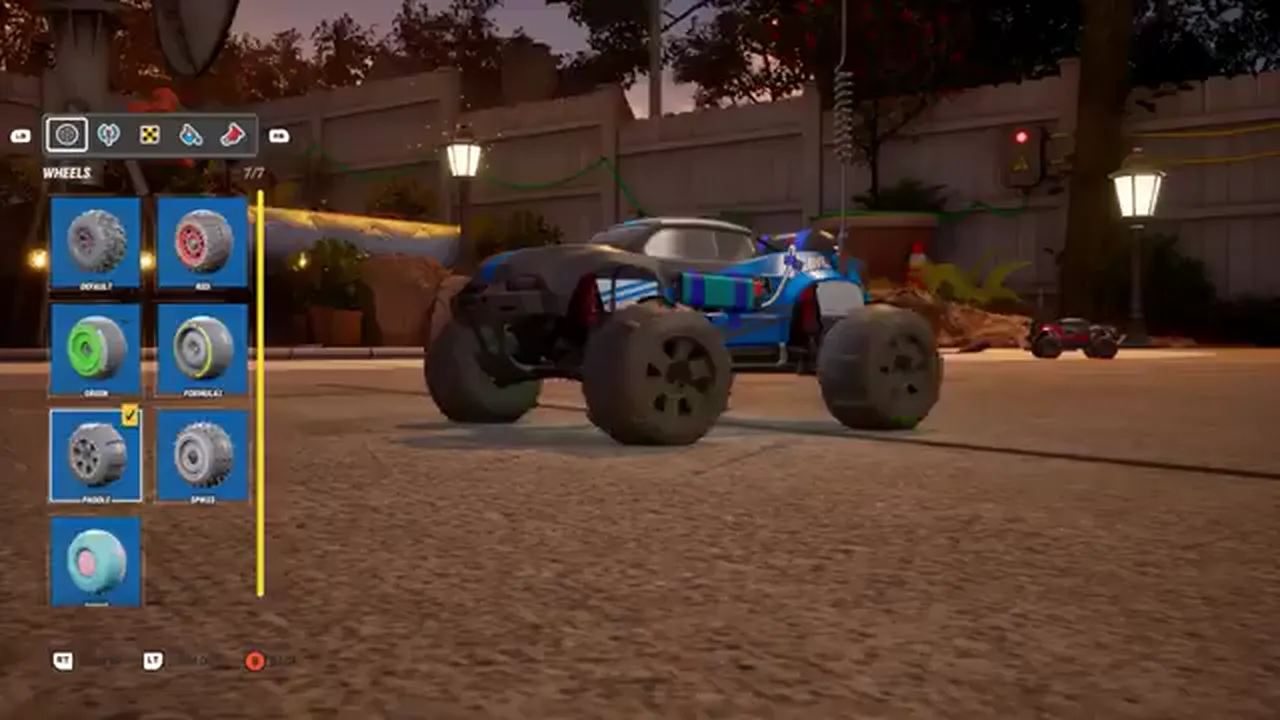
Demo and launch materials highlight Follow cam, Free cam, and adjustable steering / throttle feel. Beginners should default to Follow until both drivers stop fighting the lens.
| Setting | Beginner default | Switch when |
|---|---|---|
| Follow cam | On for teaching rooms | A ledge needs a wider read |
| Free cam | Off until comfortable | Scouting magnet walls or rope anchors |
| Steering feel | Leave near default first hour | Drifts feel too snappy or soggy |
| Throttle feel | Leave near default first hour | Jumps consistently overshoot |
If both players tweak camera and steering mid-puzzle, you cannot tell whether the fail was timing or settings. Change one slider, test on flat ground, then return to the puzzle.
Split-screen compresses each view. Call out hazards earlier ("shelf left") because peripheral vision is halved. Online full-screen pairs still need callouts for things only one camera can see.
Callouts are the real co-op skill—especially with no voice channel inside the client.
Many early puzzles need both cars on pads, switches, or braces at once. The game sells cooperation, not parallel solo play. Build a tiny language and reuse it all night.
| Callout | Meaning | Use when |
|---|---|---|
| Ready | I am on my mark | Before any shared press |
| Three-two-one | Shared countdown | Simultaneous switches |
| Hold | Stay on pad / brace | Partner is still climbing |
| Clear | I can leave the pad | After the door / lift confirms |
| Swap | Trade roles next puzzle | One player is always the waiter |
Watching the other car and "eyeballing" a press fails under latency. Say Ready, hear Ready, then countdown. Online pairs should assume 100–200 ms of human slop even on good net.
If P1 always holds the switch, P2 becomes the only driver who practices risky lines. Swap after each teaching puzzle so both can recover from a failed jump.
None of this works Online if you are typing in Steam chat mid-air—voice belongs outside the game.
Matched by build plan, shared topics, and guide progression — not random related links.
Firevolt's public Q&A is blunt: there is no built-in voice chat. Use Discord or talk across the couch. That is a design assumption, not a missing patch note you should wait for before playing.
You do not need a fancy bot. A two-person voice channel beats text for rope timings and magnet grabs. Keep the official invite (https://discord.com/invite/wheelmates) bookmarked for patch chat, not only for voice.
Steam text chat is too slow for simultaneous presses. Use it for "brb" and patch links only.
The mid-session playbook below compresses mode, seating, and callouts into one decision block.
When a puzzle stalls, run this table before you restart the whole chapter. Most "broken" switches are seating, voice, or camera problems.
| Situation | Action |
|---|---|
| Remote friend cannot join | Open Friend's Pass decision tree |
| You hear each other late | Move Discord to lower latency; shorten countdown |
| One player keeps missing jumps | Swap roles; check throttle feel on flat ground |
| Camera fights the climb | Follow cam on; Free cam only for scouting |
| Teaching rooms feel done | Continue beginner guide → Kitchen |
| You unlocked a power | Check abilities then revisit |
Steam Deck supported. On Deck, confirm the layout once in Desktop or Gaming Mode, then treat it like any other partial-controller session. Do not reinvent binds every room.
A healthy co-op night ends with both players knowing tomorrow's first room and whether Online or Split-screen stays the default.
FAQ covers the search queries that usually land here before anyone boots the game.
No. Use Discord (https://discord.com/invite/wheelmates) or talk locally.
Yes via Friend's Pass — confirm the live Steam / in-game invite UI.
No. WheelMates is strict 2-player only.
Same couch → Split-screen. Remote friend → Online. Do not mix the assumptions.
Follow the beginner guide into the Kitchen.
Matched by build plan, shared topics, and guide progression — not random related links.